
Free Mirror Text Generator 🔄
Ever tried to read a t-shirt in a selfie? Everything is backward. Our mirror text generator does exactly that—but on purpose. Type below to generate instant reversed letters.
Your mirror text will appear here...
What Actually is a Mirrored Text Generator?
If you’ve ever looked at the front of an ambulance and noticed the word is printed backward (so it reads correctly in a rearview mirror), you already understand mirror texting.
A true mirrored text generator doesn't just reverse the order of the letters (like hello to olleh). It actually flips the letters themselves horizontally using obscure Unicode symbols. It turns a standard "c" into a "ɔ" and an "e" into an "ɘ". Because these are text characters and not images, you can copy and paste them directly into Instagram, Discord, or WhatsApp.
How to Mirror Text in Design Software
Our online tool above is perfect for quick social media posts. But if you need to flip a specific, beautiful font for a t-shirt print or poster, Unicode won't help. Here is the ultimate cheat sheet for popular apps.
How to mirror text on Canva
Canva makes it surprisingly tricky to flip text directly. Here is the best workaround:
- Type your text using your chosen font and save/download that specific page as a PNG with a transparent background.
- Re-upload that PNG back into your Canva design.
- Select the image, click Flip on the top toolbar, and choose Flip Horizontal. Done!
How to mirror text in Word
Microsoft Word actually has a hidden 3D tool perfect for this. If you are wondering how to mirror a text in Word for a printable iron-on transfer, follow these steps:
- Go to Insert > Text Box and type your word.
- Right-click the text box border and select Format Shape.
- Go to Effects (the pentagon icon) > 3D Rotation.
- In the X Rotation box, type exactly
180°. Your text will instantly flip.
How to mirror text in Google Docs
You can't flip standard text directly on a Doc page, but the Drawing tool makes it easy:
- Click Insert > Drawing > New.
- Add a text box and type your phrase.
- Click the text box to select it, then click Actions > Rotate > Flip horizontally.
- Hit "Save and Close" to drop it into your document.
Designer's Frustration (From the Creator):
I totally get that frustration—honestly, ruining three good shirts is a painful way to learn a lesson! There’s nothing worse than peeling back a transfer only to realize the text is backward. I used to spend way too much time wrestling with Canva just to figure out the mirroring trick for iron-ons. That’s exactly why I started this page: to keep all these "wish I knew this sooner" formatting tips in one spot so nobody else has to waste time (or perfectly good t-shirts) like I did.
Upgrade Your Design: From Mirror Text to True Ambigrams
Writing things backward is a fun trick. But if you are looking for a unique tattoo, a mind-bending logo, or true symmetry, a simple horizontal flip isn't enough.
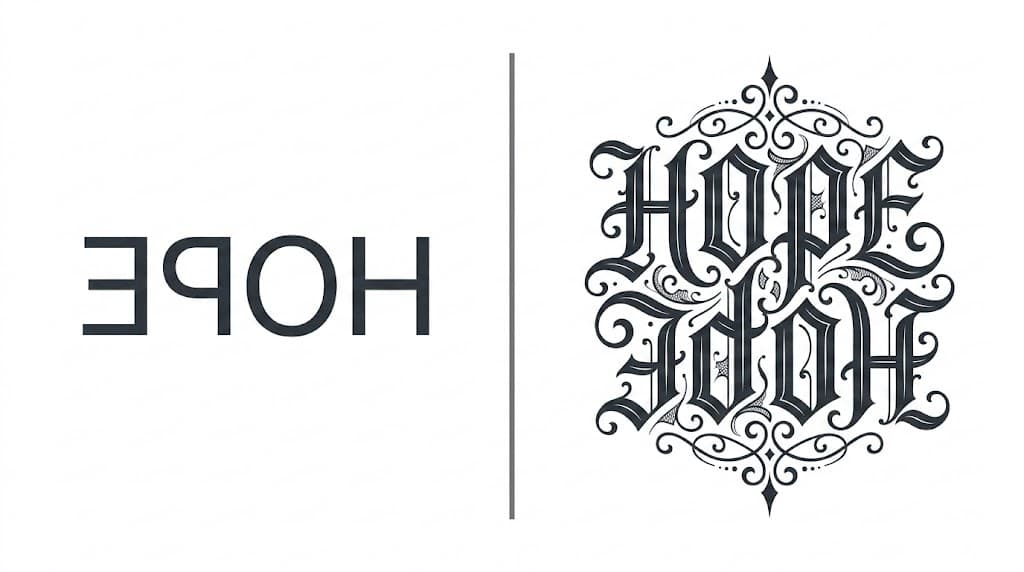
While a mirror generator flips letters blindly, our core Ambigram Generator uses intelligent design logic to weave letters together into a symmetrical masterpiece that reads the same from multiple directions.